How might we create a weekly meal planner that reduces food waste?
Whole Bunch
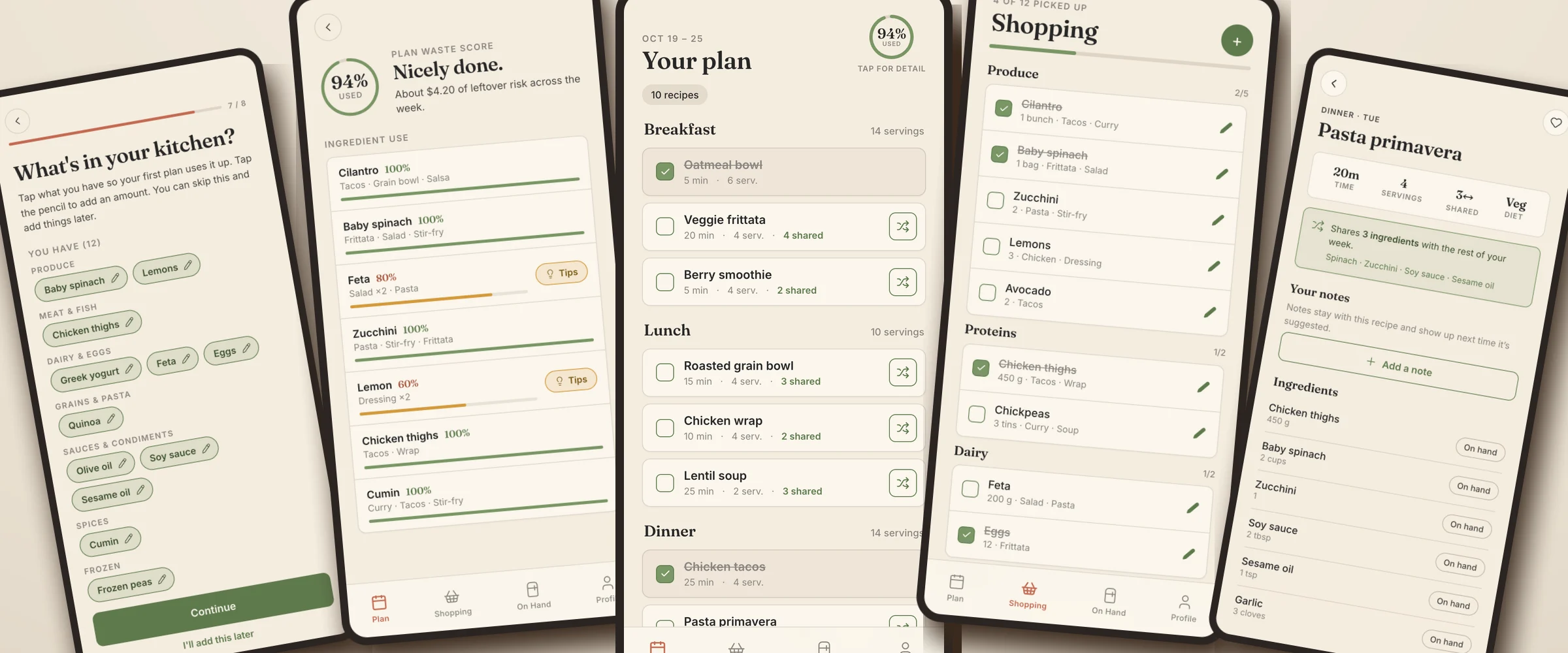
Whole Bunch is a zero-waste weekly meal planner. It builds a week of real, highly rated recipes that share ingredients, use what’s already in your kitchen, and match the package sizes your store actually sells, so the whole bunch of cilantro gets used instead of thrown out.
It’s a personal project: I designed it and built it, directing Claude Code, and I use it to plan my own week. It went from a clickable prototype to a live app my friends can sign up for in three weeks.
- My role
- Product designer & builder
- When
- October 2026 – present
- For
- Personal project · me and friends now, a public launch someday
- Methods
- Prototyping, Design system, Interaction design, Real-use testing, Directing Claude Code
- Built with
- React (installable web app), Supabase, Netlify, GitHub Actions, Kroger API
- 3 weeksfrom clickable prototype to live app
- 2,300+real recipes collected and tagged
- 40% → 84%of my first real week’s food used, after fixes
- $0a month to run, on free tiers
Overview
THE PROBLEM
Most meal planners pick each recipe on its own. One recipe needs two tablespoons of cilantro, another half a bag of spinach, and the shopping list tells you to buy what’s already in the fridge. The leftovers go bad before anything else uses them.
I wanted a planner that thinks about the whole week at once: recipes chosen because they share ingredients, a list in the sizes you’d really buy, and a plan that starts from what you already have.
PROJECT GOALS
Waste Less Food
Pick recipes that share ingredients and round every item up to real package sizes, then show honestly how much of what you buy gets used.
Start From What You Have
Plan around the food already in your kitchen, and only add what’s missing to the shopping list.
Fit Real Life
Never break an allergy or diet, stay within how long you want to cook, and learn what you like over time.
THE CONSTRAINTS: FREE, FAST, AND HONEST
- $0 a month. Every service runs on its free tier, and the app warns me before it gets close to a limit.
- A week in about a second. Building a plan never waits on the web; it filters a recipe library that’s already collected.
- Every number is real, or it isn’t shown. No placeholder prices or made-up waste scores.
- Built to grow. Friends first, with a path to a public launch without a rewrite.
Design
GETTING TO KNOW YOU: ONBOARDING
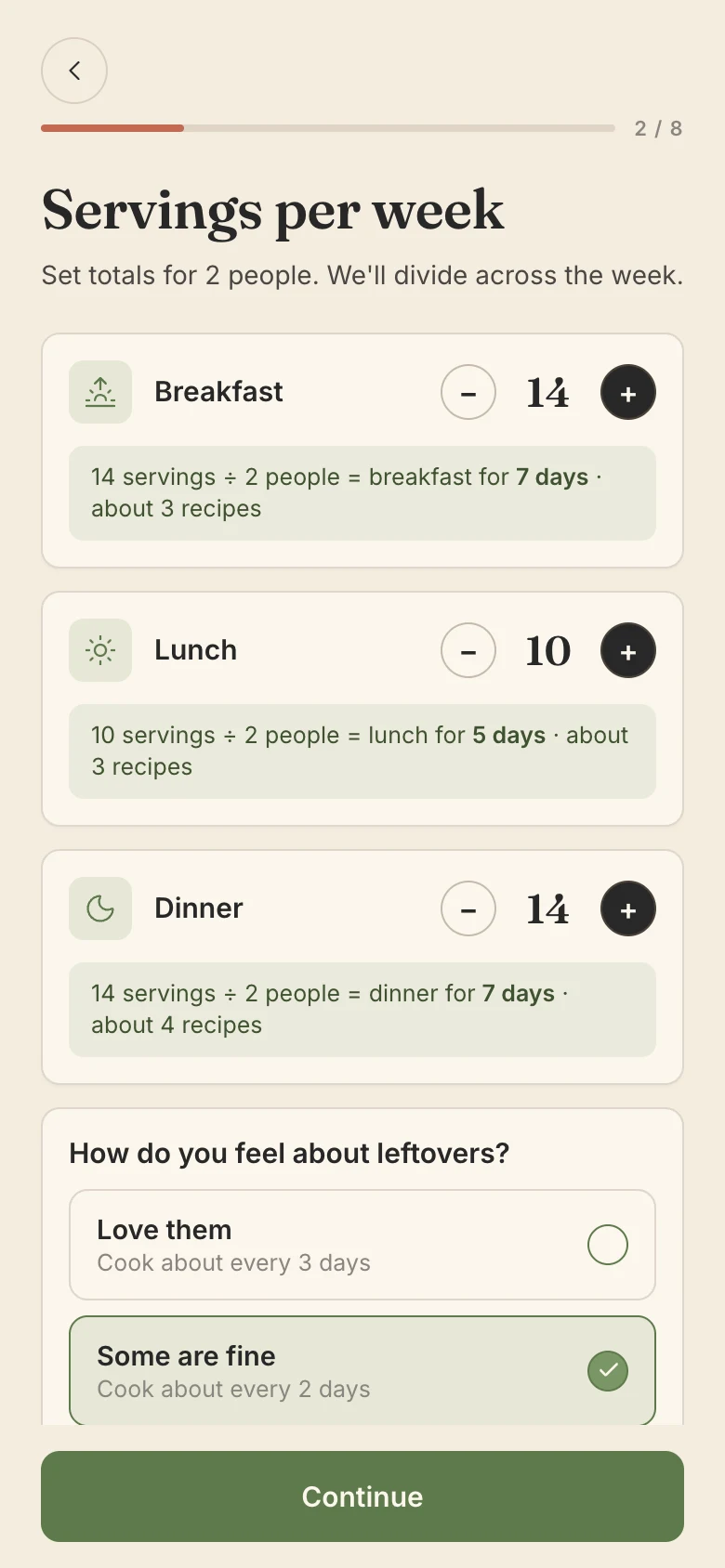
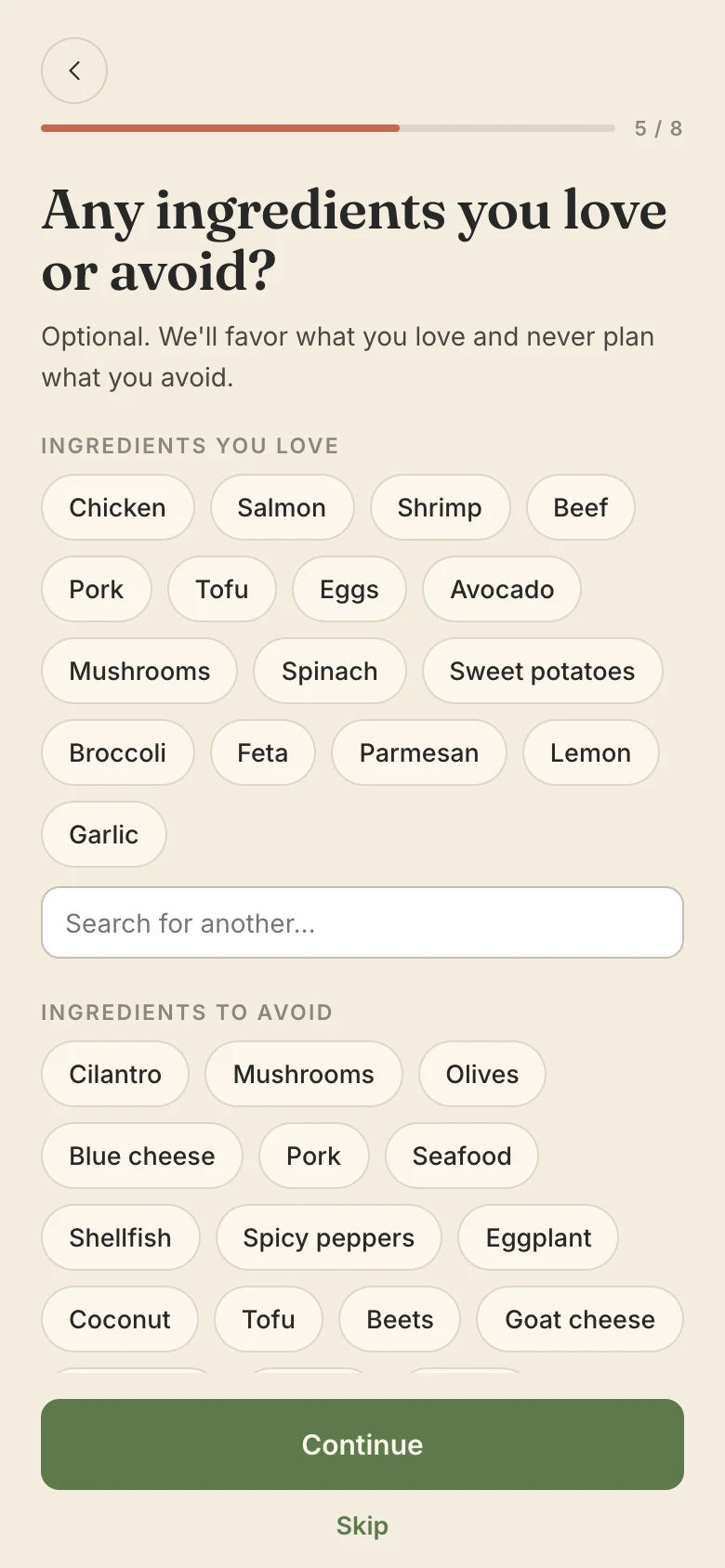
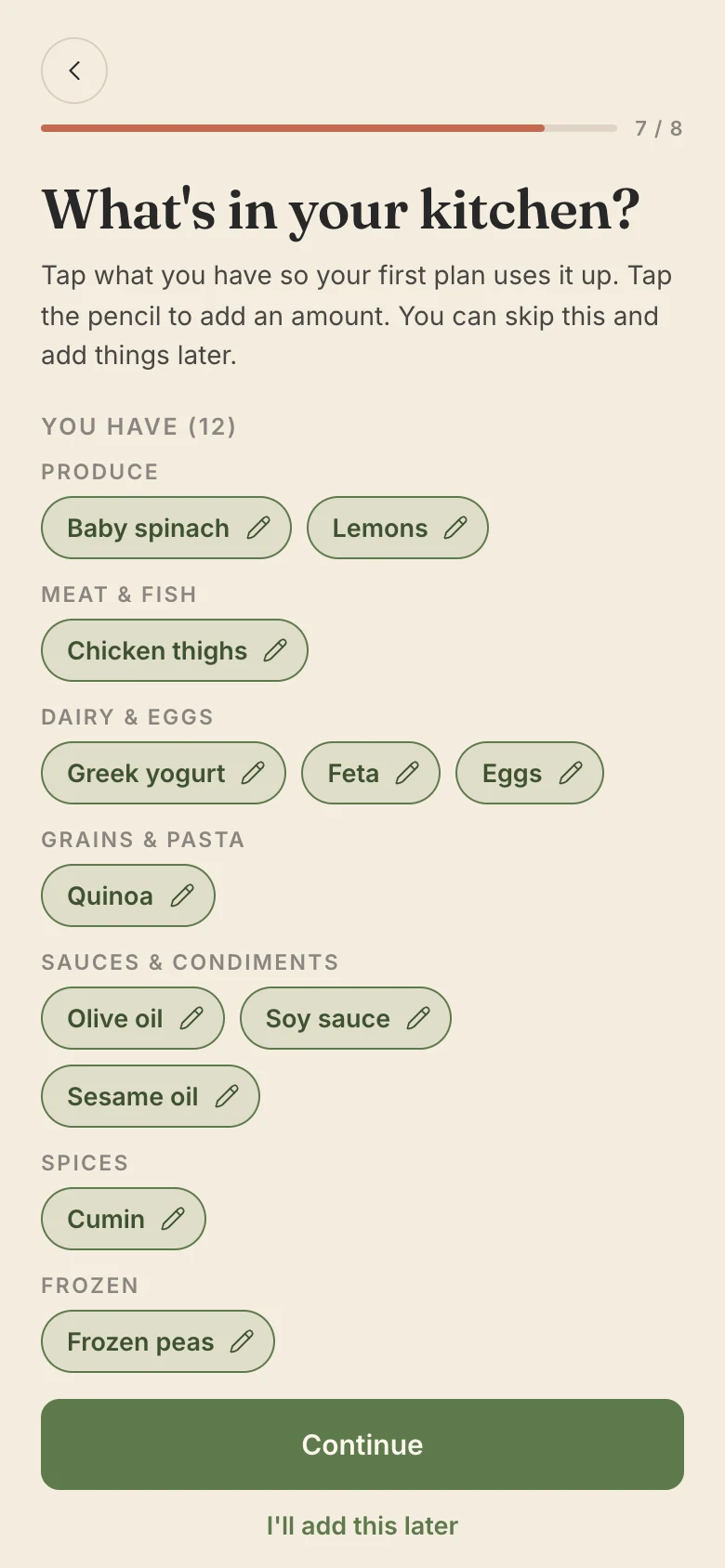
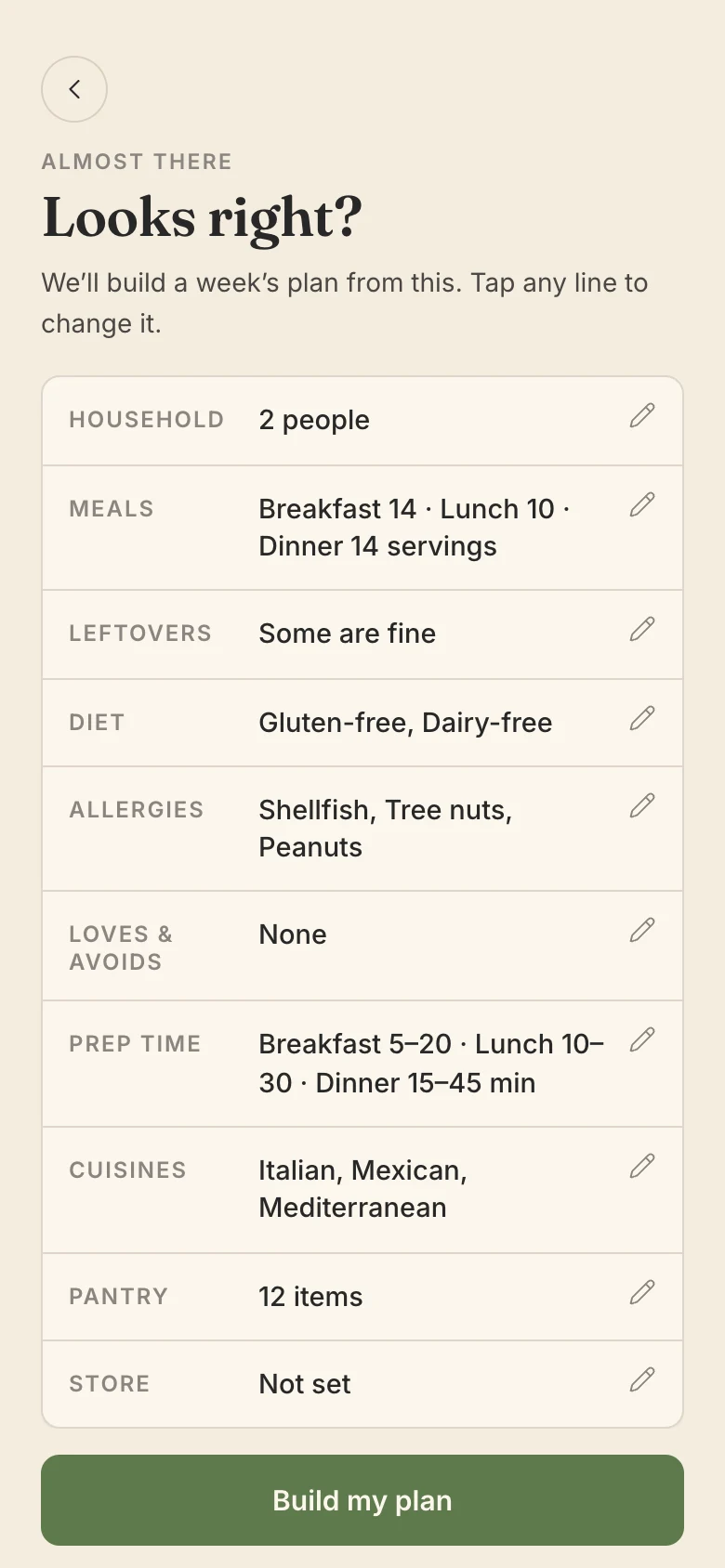
Eight short steps turn a household into rules the planner can follow. Each answer is either a hard rule that’s never broken (allergies, diets, ingredients to avoid, the longest you’ll spend cooking) or a soft preference that only nudges the ranking (cuisines, ingredients you love).
A few choices I made along the way:
- Leftovers as a question, not a setting. “How do you feel about leftovers?” decides how many recipes a week gets.
- Prep time per meal. Breakfast and dinner get their own ranges, because nobody wants a 45-minute breakfast.
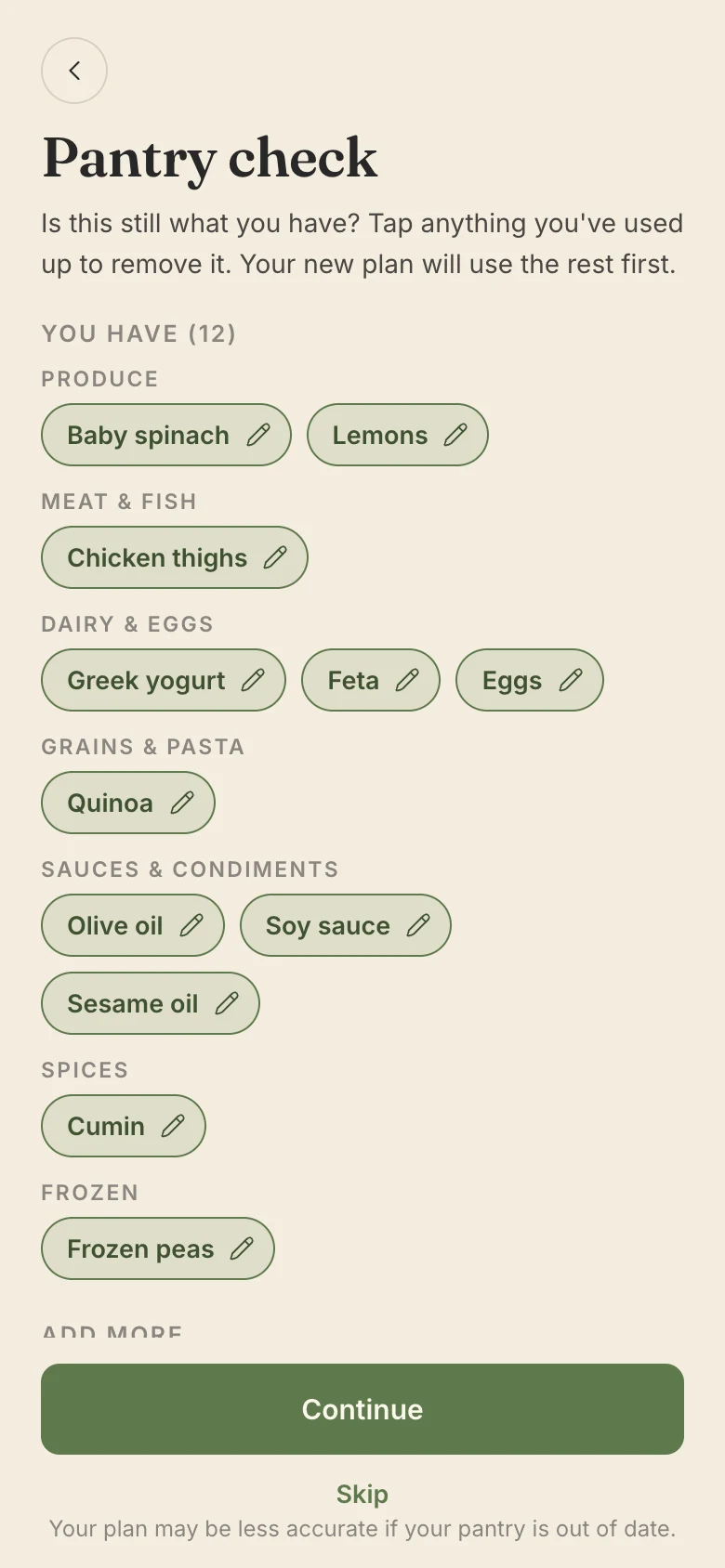
- Tap, don’t type. The kitchen step offers about 140 common items in nine food groups, so most people can mark their kitchen without typing.
THE HEADLINE NUMBER: THE WEEKLY PLAN
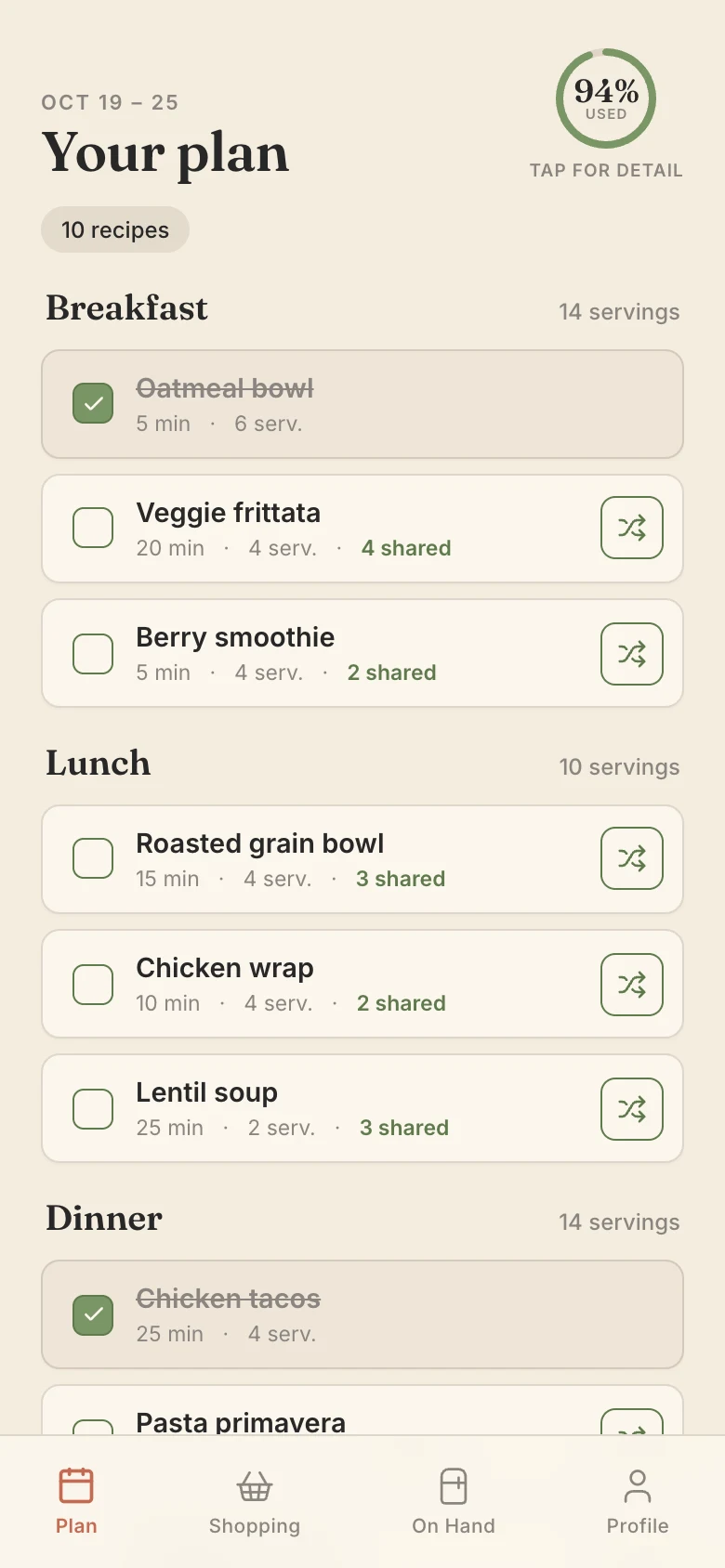
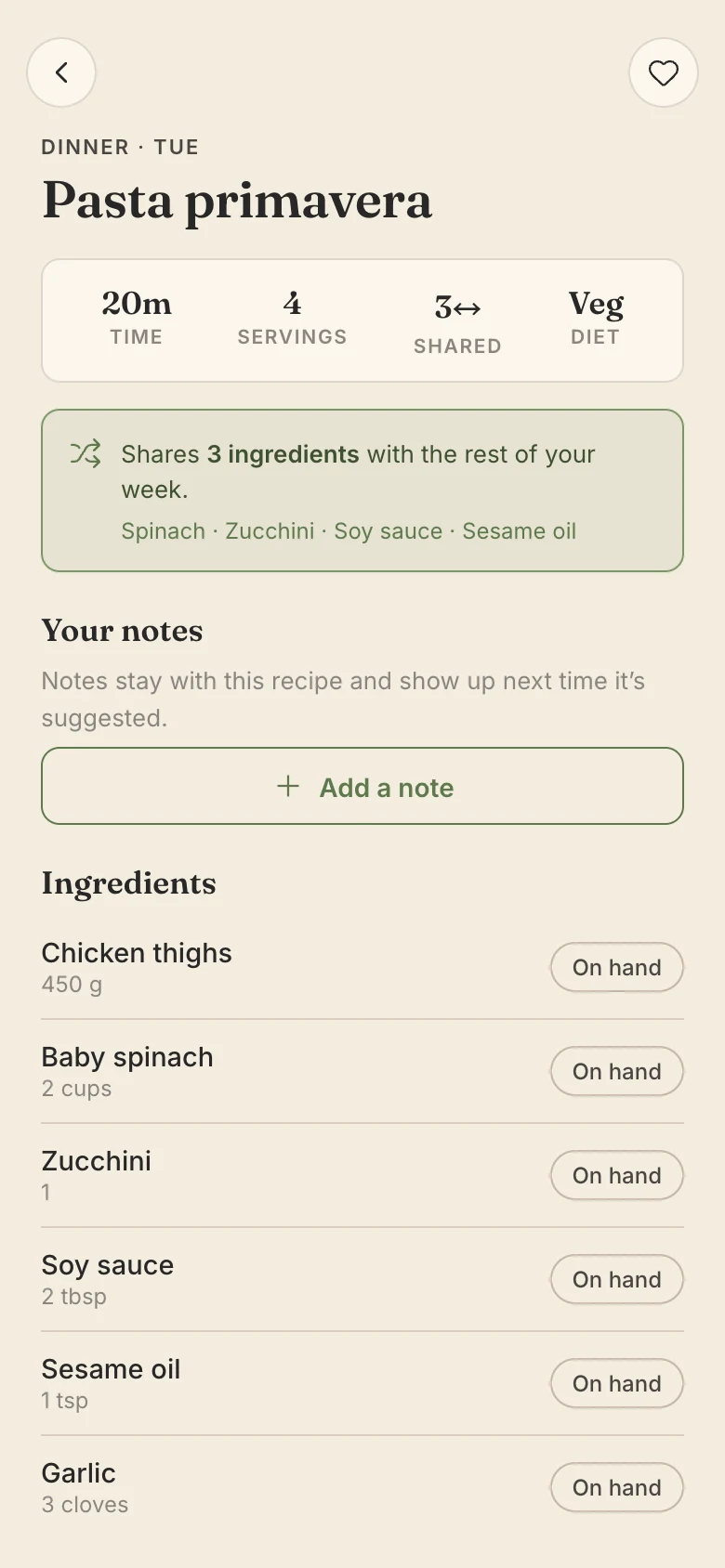
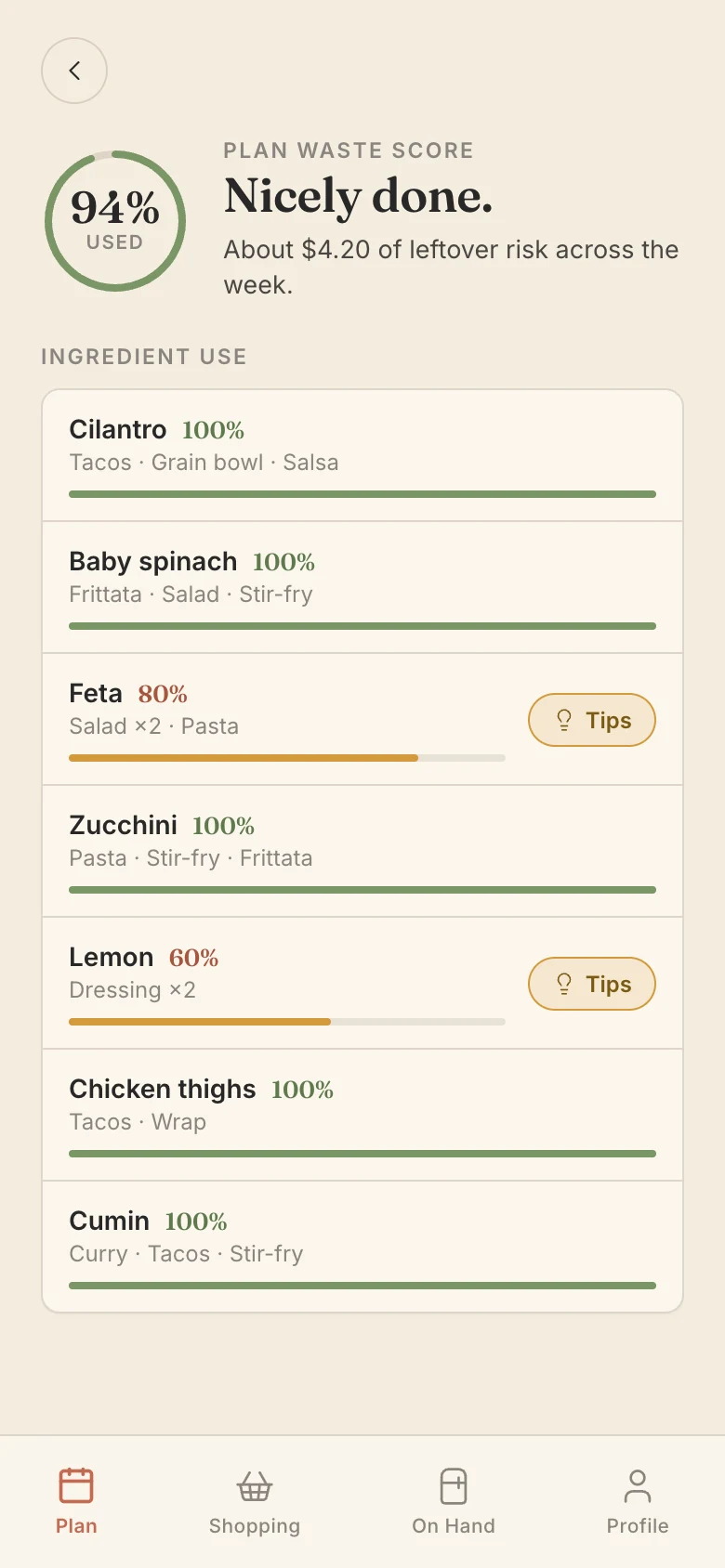
The plan leads with one number: how much of the food you buy this week gets used. Every recipe row says how many ingredients it shares with the rest of the week, so the reason a recipe was picked is visible at a glance.
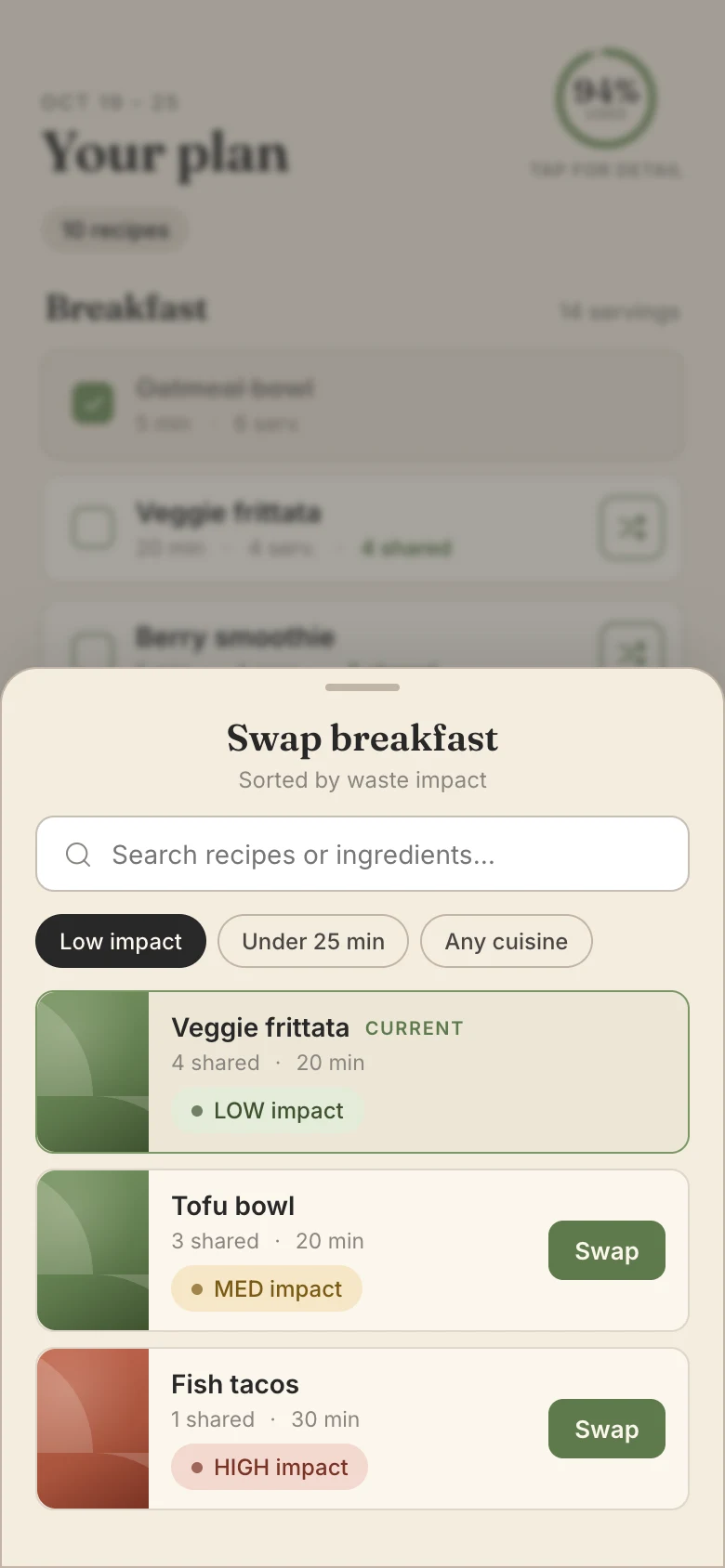
Swapping a recipe keeps the week honest too. The swap sheet is sorted by waste impact, so people can see the cost of a change before they make it.
AFTER THE PLAN: SHOPPING AND USING IT UP
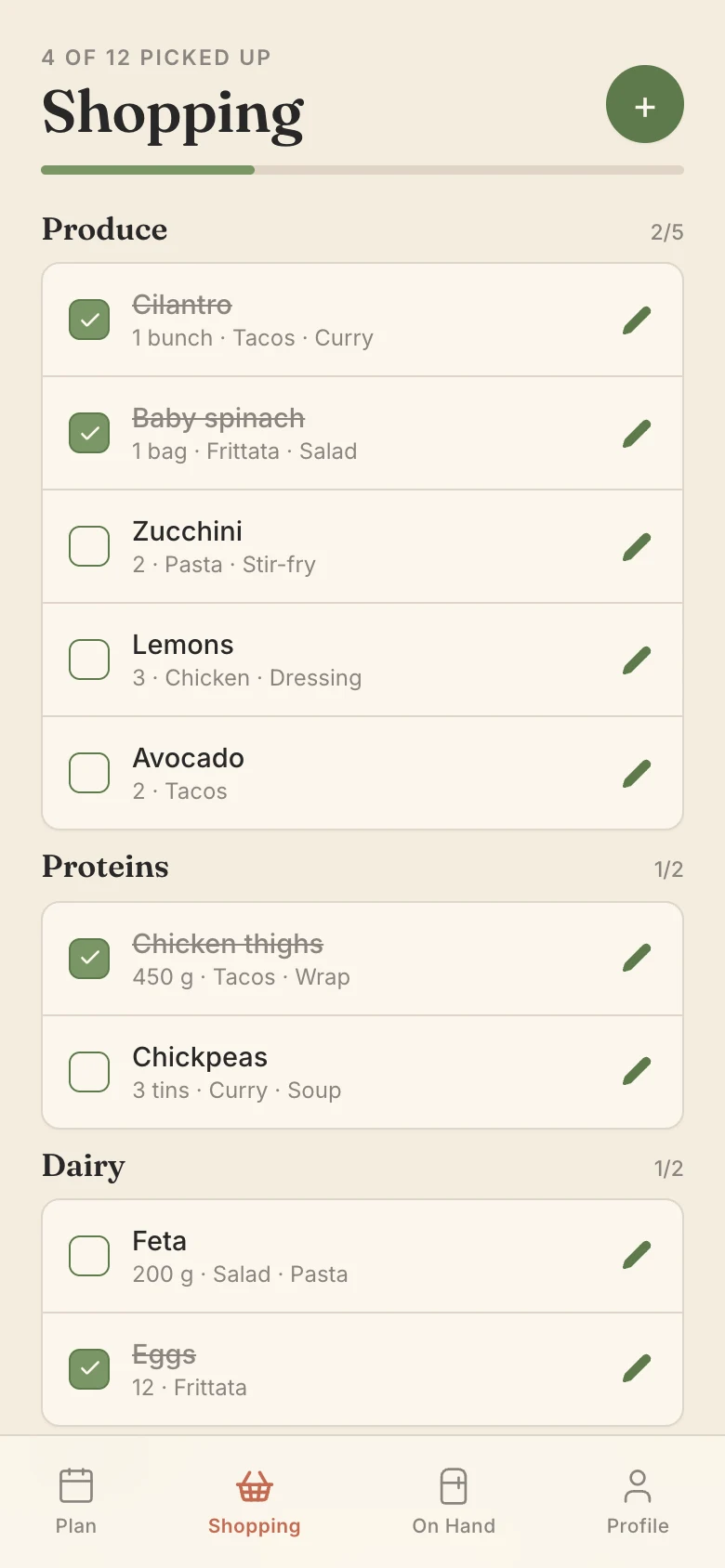
The shopping list is in package sizes, not recipe amounts, and it leaves out what you already have. For Kroger shoppers it uses the nearest stores’ real sizes and prices, picks the combination of packages that leaves the least over, and lists anything the store doesn’t sell separately so nobody hunts for it.
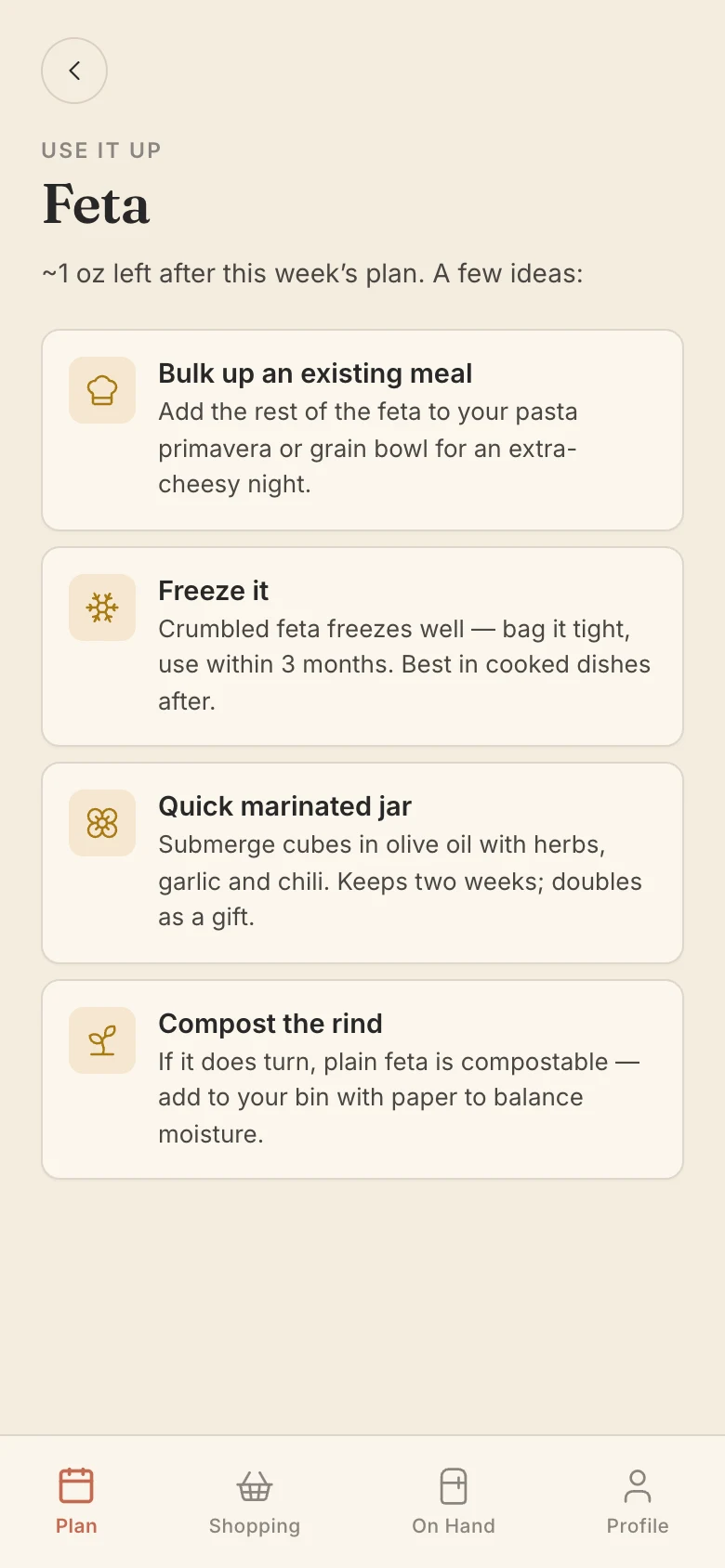
Anything that will be left over gets a Use it up page with ideas, like adding the rest of the feta to another meal or freezing it.
EVERY WEEK AFTER: CLOSING THE LOOP
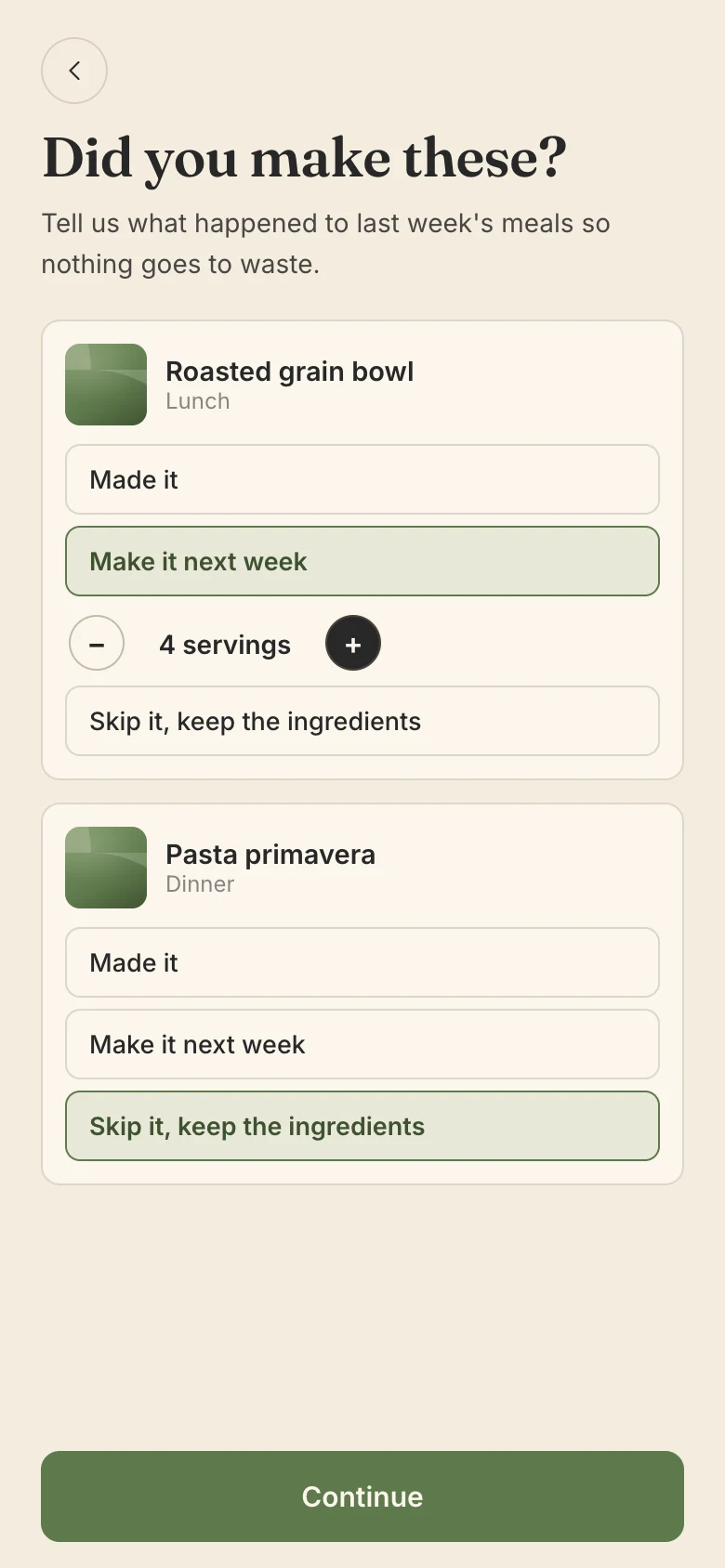
Plans don’t survive real life: people go out to dinner, or never get to Thursday’s salmon. So building the next week starts by asking what happened to the last one. Each unmade meal can be made next week, or its ingredients kept for the new plan to use, and nothing is carried over by accident.
A quick pantry check follows, then one summary screen where every answer can still be changed before the week is built.
DESIGN DECISIONS: WHERE I DREW THE LINES
Warn, Don’t Guess
Recipes that clearly contain an allergen are never planned. When the app can’t be sure, it still shows the recipe with a specific note, like “Check: pesto may contain tree nuts”, instead of hiding it or staying quiet.
Avoid Means the Whole Family
Avoiding pork also rules out bacon, ham and sausage, but not turkey bacon. Loving salmon only gives it a boost; waste stays the top priority.
No Expiration Dates
Instead of asking for a date on every item, the app uses shelf life it already knows (use soon, keeps a few weeks, long-life), plus one “use this soon” switch for anything that needs to go first.
Prices Inform, Never Decide
Kroger prices show on the list and the week, but cost never changes which recipes are picked, so plans work the same for everyone and waste stays the goal.
Build
HOW IT WORKS: COLLECT ONCE, FILTER MANY TIMES
The key idea is that the slow part happens once, for everyone, overnight. Building someone’s week never goes to the web, which keeps it fast and keeps the cost the same for ten people or ten thousand.
Every night (shared by everyone)
- Visit recipe sites politelyfollows each site’s rules
- Keep the best4.5★ and 10+ reviews
- Tag every recipeallergens, diets, meal type
- Save to one libraryshared by every user
Website owners can read what the bot does and opt out on a public page.
When someone builds a week
- Apply hard rulesallergies, diets, prep time
- Score what’s leftwaste, on hand, taste
- Try eight weekskeep the least wasteful
- Size the shopping listreal packages and prices
Scoring weighs less waste first (about half), then what’s on hand, then your taste.
What I did
- Designed the clickable prototype and the Mise design system: Fraunces and Inter type, a warm cream, terracotta and sage palette, and green focus rings throughout.
- Made every product decision, from what counts as a complete meal to when a leftover isn’t waste.
- Reviewed a written design spec and build plan for every feature before anything was built.
- Tested each feature on my phone with my own kitchen and my local Kroger, and turned what went wrong into the next change.
How I worked with Claude Code
- Every feature followed the same loop: brainstorm, write a spec, write a plan, build it test-first, then a fresh independent review before it shipped.
- Claude wrote the code and explained it in plain language; I made the calls on anything a person would notice.
- Each change shipped as its own pull request: 19 in three weeks, backed by more than 800 automated tests.
Conclusion
MY ROLES & RESPONSIBILITIES
- Defined the product, its rules and what success looks like
- Designed the prototype, the screens and the Mise design system
- Directed Claude Code through every spec, plan and build
- Reviewed every feature and made the product calls
- Tested it with my own weekly meals and local store
- Set up the accounts, hosting and domain
Team: me as designer and product owner, with Claude Code writing the code.
KEY TAKEAWAYS
Use It to Design It
Planning my own week found problems no review would have: an 8-ear pack of corn, hard-boiled eggs for breakfast, a score that measured the wrong things. Real use was the best research method I had.
Honest Numbers Build Trust
A waste score is only useful if it’s true. Fixing what the score measured mattered as much as improving the plans themselves.
Designers Can Ship
With a clear spec and a review at every step, directing AI let me take a product from prototype to a live app without handing it off.
WHAT’S NEXT: A WEEK WITH FRIENDS
Next is a real-use week with friends, most of whom shop at Kroger, followed by what a public launch needs: a licensed recipe source, a privacy policy for health-related answers like allergies, and app store versions.
Outcome
Designed and built a working, zero-waste meal planner in three weeks, now planning real weeks from more than 2,300 recipes with real Kroger sizes and prices.