How might we redesign the warranty application to save GE Aviation money?
GE Aviation
I completed two co-op terms with GE Aviation on their UX team in Cincinnati, Ohio. Within the larger UX team I was part of a smaller team called Portals. The main project I worked on during my second time there was the warranty application, where I led both the design and research. This application is a platform where both internal and external users create claims to receive money back for shared services done on GE Aviation engines and parts. Unfortunately, I can't show all of my work here, but don't hesitate to contact me to discuss my project!
- My role
- UX Digital Technology Intern
- When
- January – May 2019 and August – December 2019
- For
- GE Aviation Digital Technology
- Methods
- Competitive Analysis, Benchmarking, Sketching, Wireframing, Prototyping, User Interviews, Usability Tests, Persona Creation
Outcome Led design and research on the warranty claim creation flow. Usability-test findings drove targeted fixes to error messaging, the claim header, and the claim number field.
Overview
THE BACKGROUND
I went through onboarding for this project during the middle of the redesign process. Due to this, I had to quickly learn as much as I could about what Warranty was, who created the claims, the different user roles, and the processes.
- I started to design based off the functionalities that were coming up next.
- I had weekly meetings with the technical and functional side of the business, as well as development, to go over any changes and to receive feedback on my agile designs.
- We always tried to stay a few sprints ahead of our Development Team so that we have enough time to do usability tests and make changes based off synthesis.


When I started, the warranty application was outdated and not easy to use. GE processes ~ $1.5 billion in claims every year; currently, they suffer from ~ $40 million lost in Revenue Share Partner fallout due to these claims being finished too late for their partners to pay out.
PROJECT GOALS
Refine and Streamline
Make the whole process of creating a warranty claim and editing that claim easier and more refined. This will help streamline the process to save GE Aviation time and money.
Create Consistency
It is important to keep the designs consistent with the rest of the GE Aviation applications that internal and external users may encounter.
Fix Error Handling
Rethink the way errors are handled throughout the system to make the process faster and easier for the user.
Research
RESEARCH FROM BEGINNING TO END: THE PROCESS
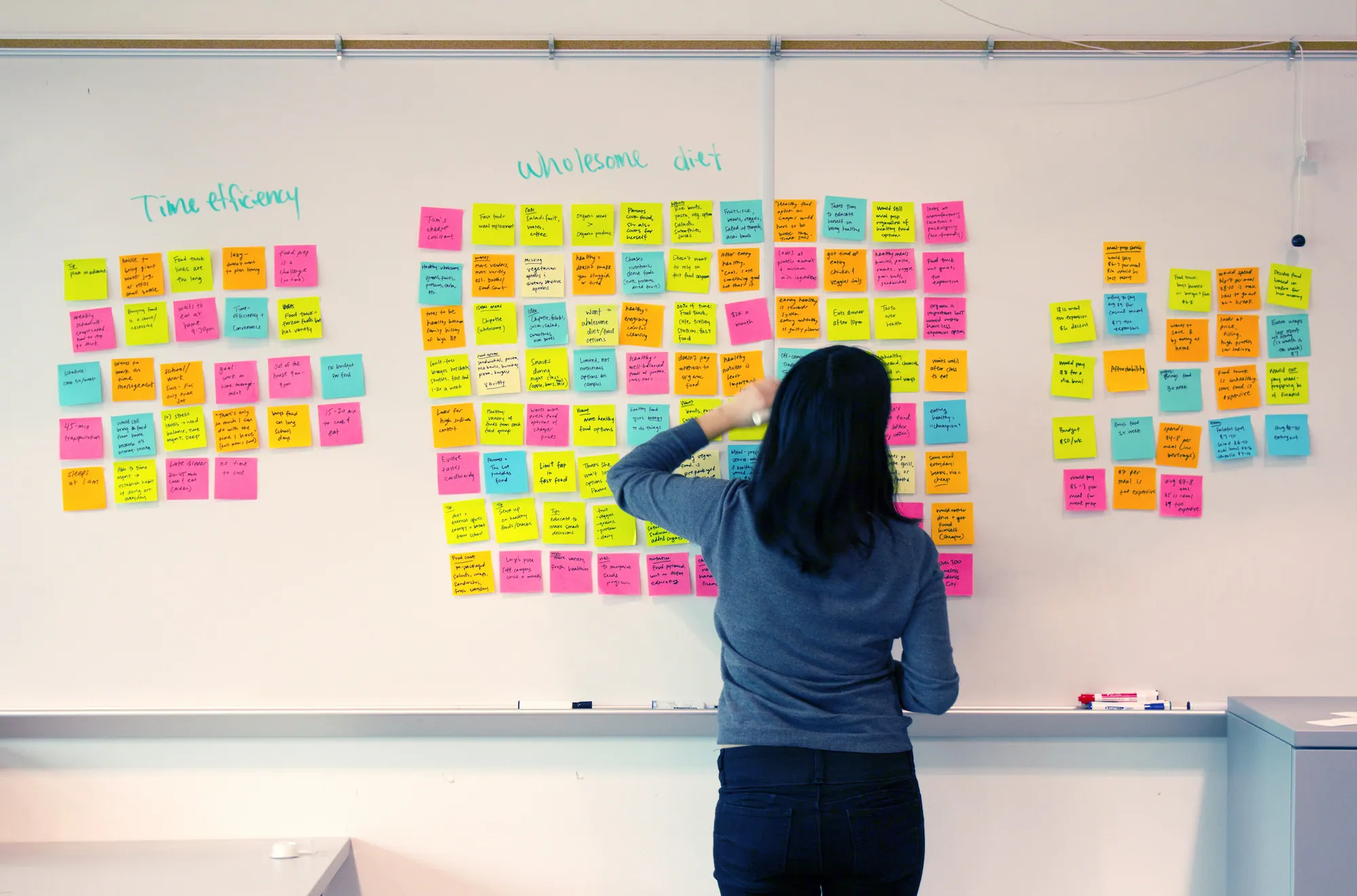
After completing the prototype for the Warranty Claim Creation Process, it was time to test. We ended up doing some Guerrilla Testing on this application as a result of our Product Owner struggling to provide users.
What functionality were we testing?
- Creating the warranty claim
- Adding specific items to the claim
- Error handling within the application as a whole
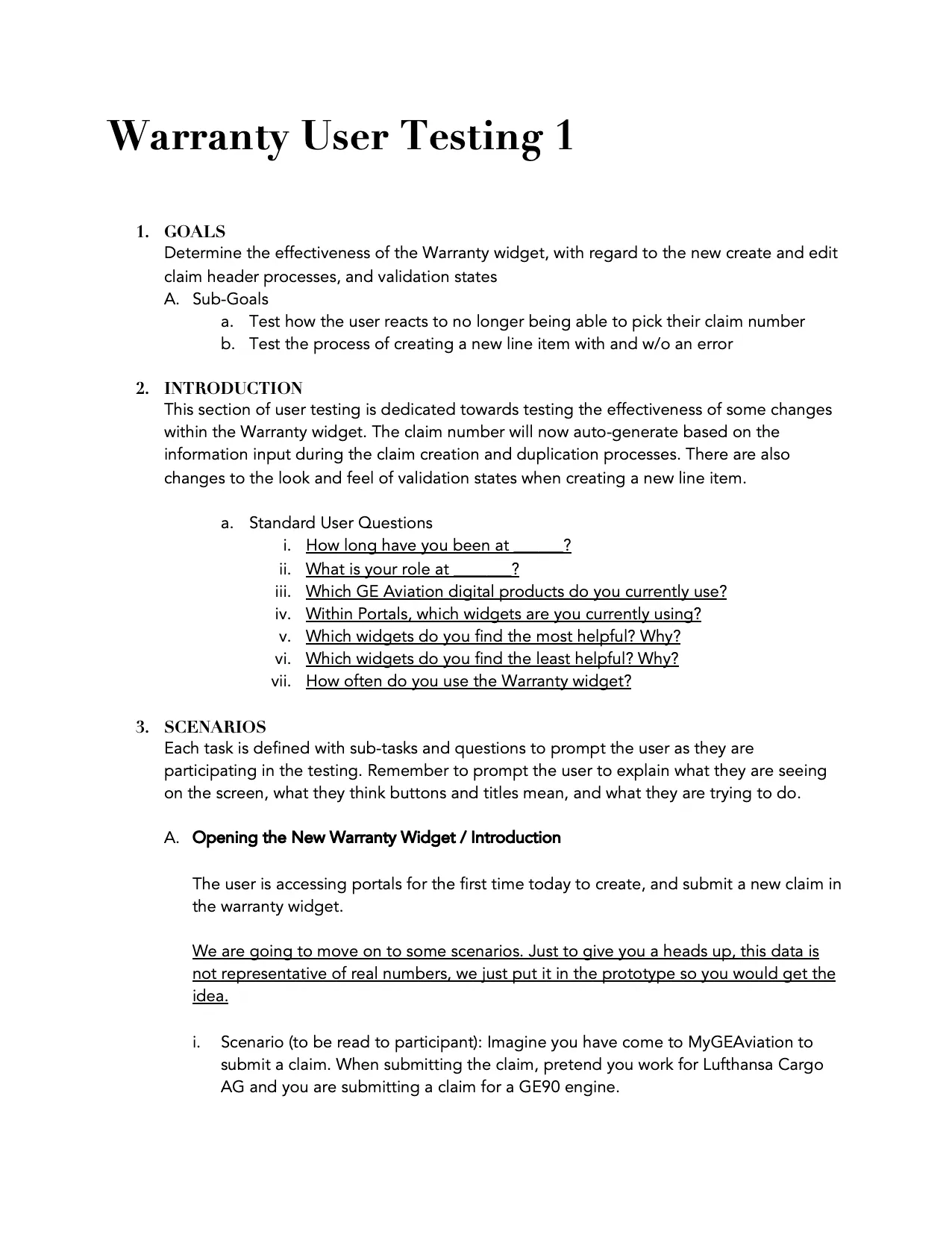
The usability testing script broke down what questions we were going to ask based off what actions we wanted them to complete, as well as initial and follow-up questions.
What steps did we take?
- Once 5 usability tests were completed, two other researchers on the project and I synthesized the data.
- A presentation was created based on the results which we shared with our Product Owners and Stakeholders.
- As a result of this presentation, and our recommendations, I made some changes to the design and interactions — this wrapped up the design and testing phase for the warranty application while I was at GE Aviation.
RESEARCH ARTIFACTS: OTHER RESEARCH CONTRIBUTIONS
Usability Testing Scripts
I created and ran another user test for a specific feature of the Warranty Application, and participated in and led other data synthesis sessions.
View Usability Testing ScriptBenchmarking
I benchmarked a few existing applications for information tracking, finding, and notifications to help brainstorm the future of a whole space of applications at GE Aviation.
View Benchmarking DocumentPersona Artifacts Template
I collaborated to create some persona artifacts that could be utilized when creating personas and gathering user information.
View Persona Artifacts TemplateDesign
UI DESIGN: THREE MAJOR PROBLEMS
Error Messaging
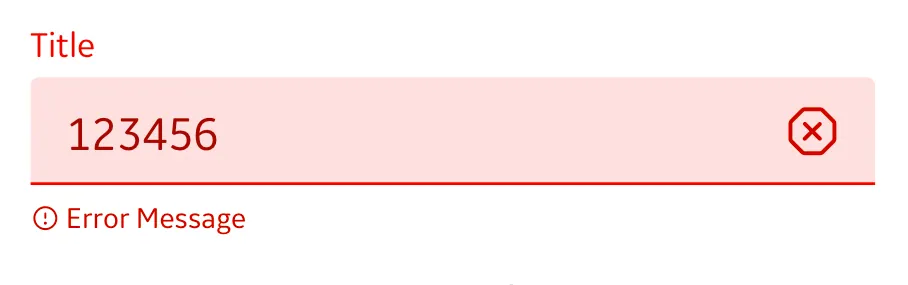
Feedback:
+ Easy to find the errors on the page
+ Users like the help text for errors
– Users found it difficult to find the next steps to fix the error
– Multiple users tried to click the x icon to try to interact with the error
Edit Claim Header
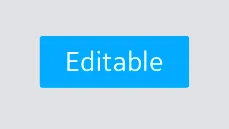
Feedback:
+ Multiple users made note of the convenience to edit the claim header
– Multiple users tried to click the editable tag to try to edit the header
– One user found it difficult to find the edit header button
Claim Number Field
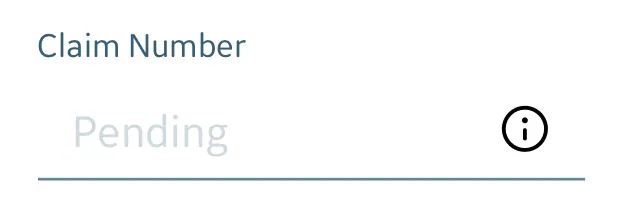
Feedback:
+ Multiple users like the auto creation of the claim number
+ The info icon helped the user understand how the claim number is generated
– Multiple users tried to click on the disabled text input field
UI DESIGN: THE FIXES
Error Messaging — Before
Get rid of the x icon so the user doesn't try to click on it
Error Messaging — After
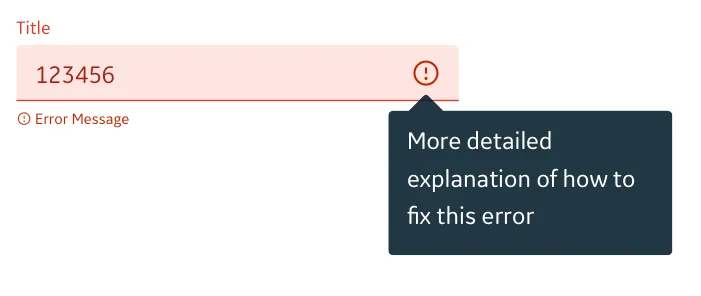
Replace the x icon with an alert icon so any user can distinguish they need to take action on that form field
Add a hover state & tooltip to the alert icon to give the user a more detailed explanation of how to fix the error
Edit Claim Header — Before
Get rid of the editable tag so the user doesn't think it is a clickable button
Edit Claim Header — After

Make all parts of the claim accordions to keep consistency
Move the Edit Header button to the right, in line with the buttons for the other accordion sections of the claim
* The editable tag was removed in the header. I am unable to show all the changes I made.
Claim Number Field — Before
Get rid of the form field line so users don't think that field is editable
Claim Number Field — After
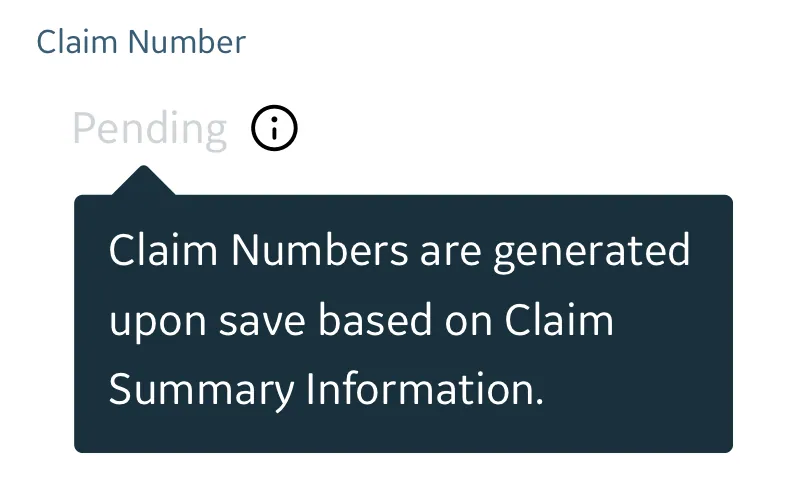
Move the info icon closer to pending
Make both the icon and the word pending a hover area to reveal the tooltip
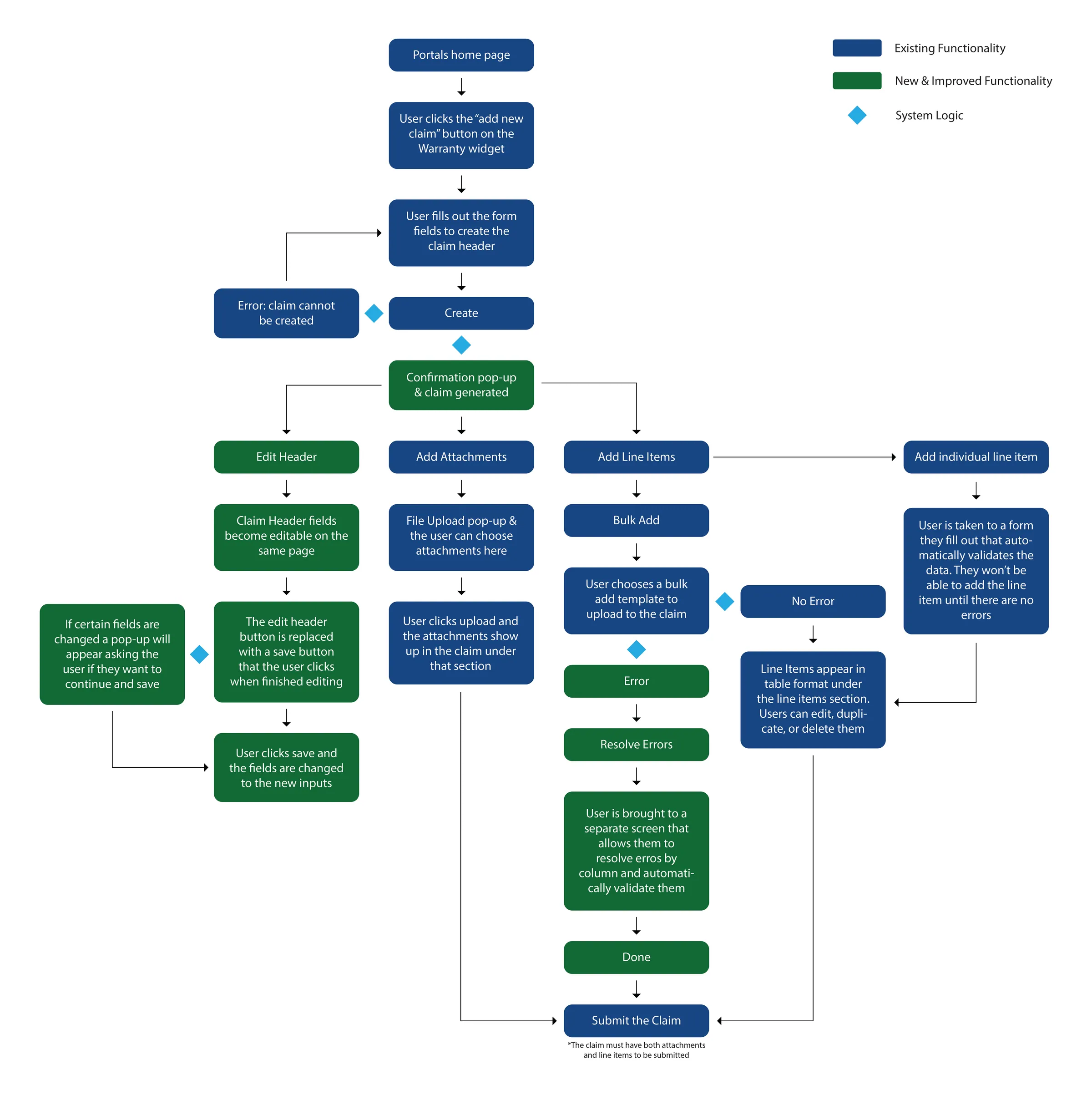
THE WHOLE SYSTEM: USER TASK FLOW
Below is a complete user task flow of the updated warranty application with user interface improvements. Unfortunately, I cannot show a full workable prototype with complete screens due to data privacy concerns.
Conclusion
MY ROLES & RESPONSIBILITIES

- Leading design review sessions with product owners
- Designing and prototyping web applications
- Creating and leading usability tests
- Creating persona artifacts and journey maps
- Carrying out heuristic evaluations
- Benchmarking existing applications





Team: Alix Krol (UX Visual Designer), Sarah Hill (UX Visual Designer), Tom Merrell (UX Researcher), Blake Lane (UX Researcher), Johnathan Marcaly (UX Researcher), and me as UX Digital Technology Intern.
KEY TAKEAWAYS
Understand the Product
The application I worked on was complex because I needed to understand the specific application as well as the larger portal it was a part of. After spending the first two weeks learning and taking in as much information as I could it was easier to start designing. Doing user interviews gave me more context about how it was used as well.
Data Backed Design
At GE Aviation, many of their digital products deal with displaying large amounts of data. It is important not to design for the sake of design. The design should serve a purpose and solve a problem for the users.
Accessibility
I was able to learn a lot about accessible design during my two co-ops. When helping out with the design system I always made sure to make intentional choices with color and font size, icon size, etc.
Outcome
Led design and research on the warranty claim creation flow. Usability-test findings drove targeted fixes to error messaging, the claim header, and the claim number field.