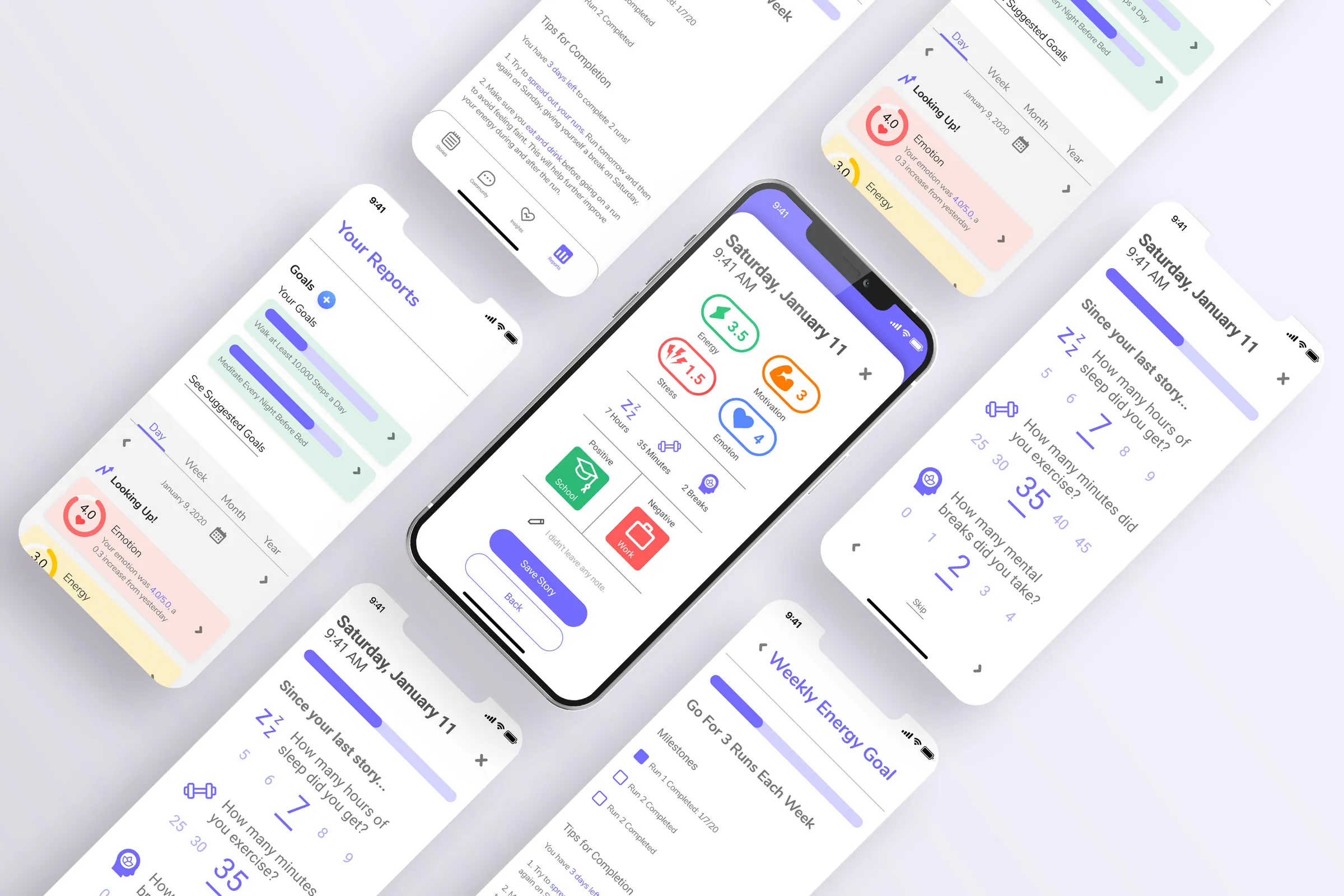
How might we help design an app to prevent healthcare worker burnout?
Cress Health
During the summer of 2020 I had the opportunity to join the Cress Health team. Throughout the summer I worked with a collaborative partner to design and test parts of the Cress Health App. The application was created to help prevent healthcare worker burnout. The basic functions of the app are daily story creation, anonymous peer support group messaging, and the ability to view personal analytics based on data collected from completed stories.
- My role
- UX Design Intern
- When
- May – August 2020
- For
- Cress Health
- Methods
- UX/UI Design, User Testing, Survey Creation, Competitive Analysis, Wireframing, Prototyping
Outcome Redesigned the app’s personal analytics and journal sections and contributed to its design library, shaped by a user survey and rounds of usability testing.
Overview
THE BACKGROUND
Cress Health was founded in 2018 as a personalized mental wellness mobile application that delivers confidential peer support for individuals experiencing any mental health problems. When I started at Cress Health my collaborative partner and I were given the personal analytics section of the app to redesign. Eventually, we also redesigned the journal/stories section and helped out with the design system of the app as a whole.

Today, burnout for healthcare workers is more prevalent than ever. The Cress Health team's ultimate goal is to help prevent healthcare worker burnout so they can have better experiences in their day to day lives.
PROJECT GOALS
Prevent Burnout
The main goal of the Cress Health app is to prevent healthcare worker burnout. The ability to have the features within the app at their finger tips gives them peace of mind that support is always a tap away.
Create a Safe Space
The Cress Health app is a locked and secure place for the user's private mental and emotion data.
Preserve Anonymity
The peer support groups within the app are anonymous, so healthcare workers can get support from others doing similar kinds of work without feeling like they are "exposed."
Research
UNDERSTANDING THE COMPETITION: COMPETITIVE ANALYSIS
Cress Health's app is new and innovative within the mental health/mood tracking app world because it is specifically catered towards healthcare professionals. Because of this, it was important to understand their competition, companies creating apps with similar features, to make sure Cress Health was able to stand out within the market.
Deliverables:
- Competitive Analysis Presentation


GETTING TO KNOW THE USER: PRELIMINARY DATA COLLECTION
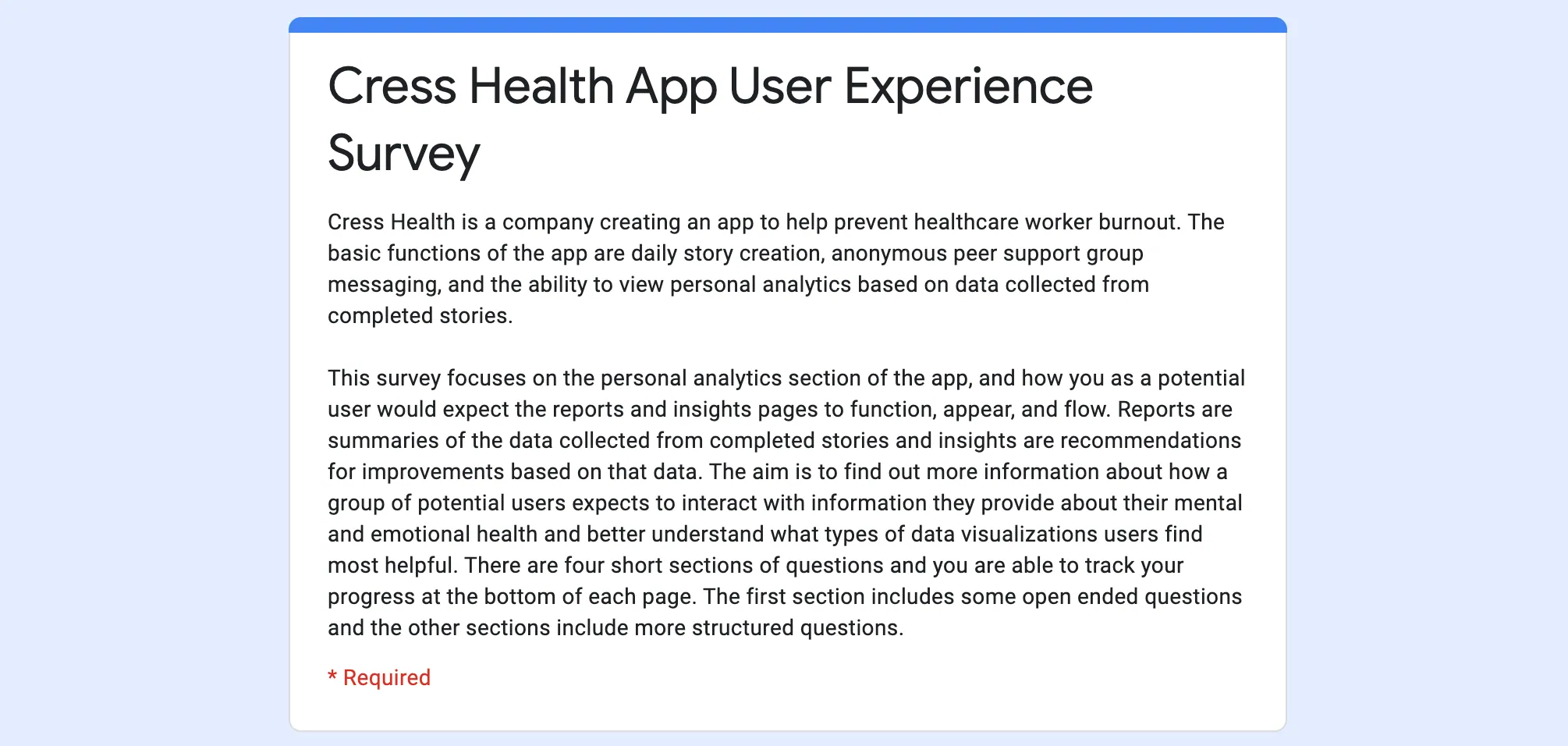
To create an app that best fits the needs of healthcare workers it is important to know what features and functions they would want out of an app like Cress Health, in terms of the personal analytics and stories sections. To do this, we created a survey to send out to potential end users that helped us understand their day to day lives and what is most important to them.
Deliverables:
- Potential User Survey
FEEDBACK FROM THE USERS: USER TESTING
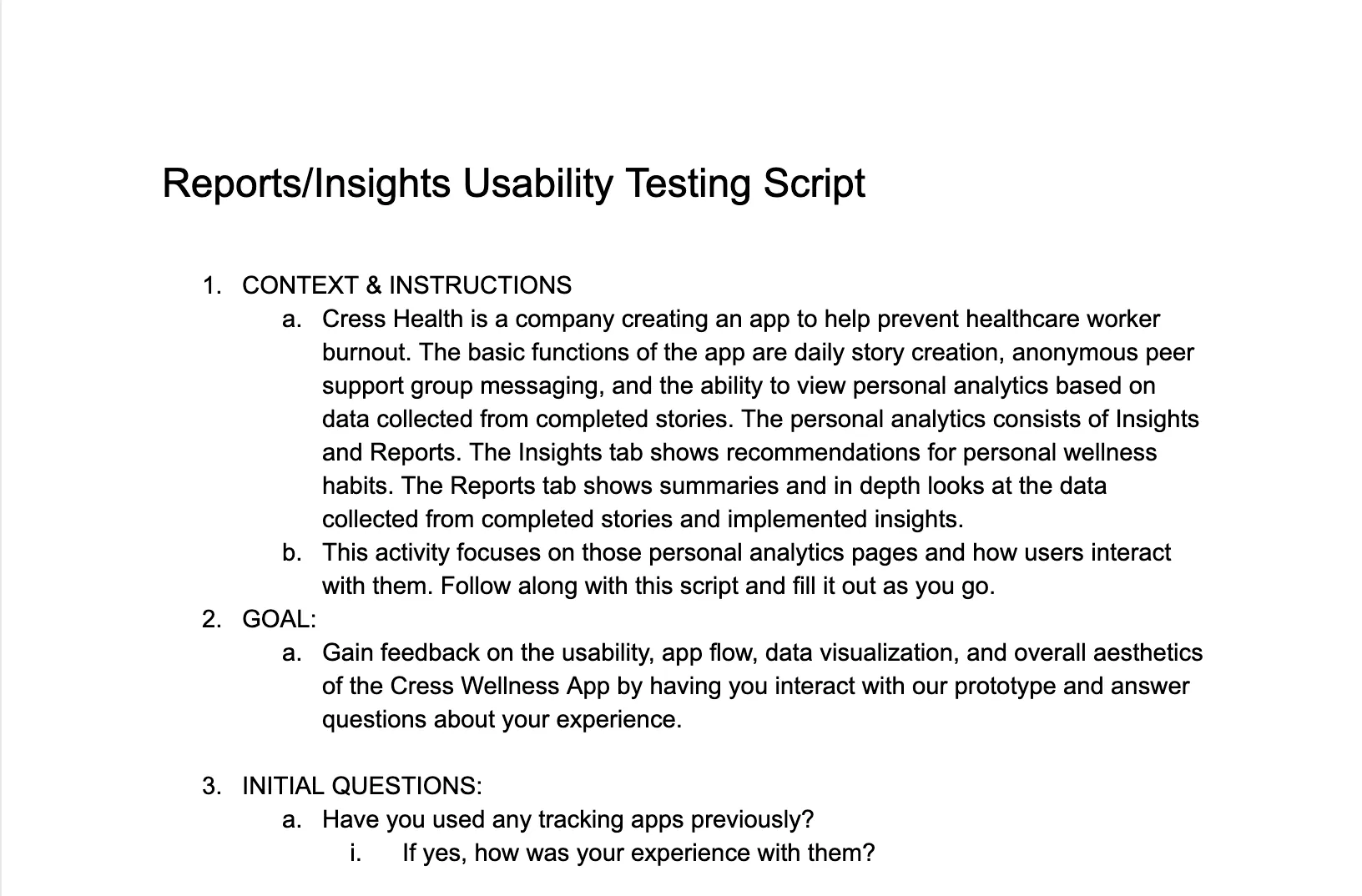
After creating the prototypes, it was important to test them with potential end users to keep their feedback at the forefront of our designs. We created usability testing scripts which we used when gathering feedback in our testing sessions. We then had a synthesis session to take a closer look at the data and pull out our key takeaways from the tests. Based on feedback, we went back and iterated our designs further. This became a circular process of iterating, prototyping, and testing.
Deliverables:
- Usability Testing Scripts
- Usability Test Synthesis Presentation
- Potential User Interviews
Design
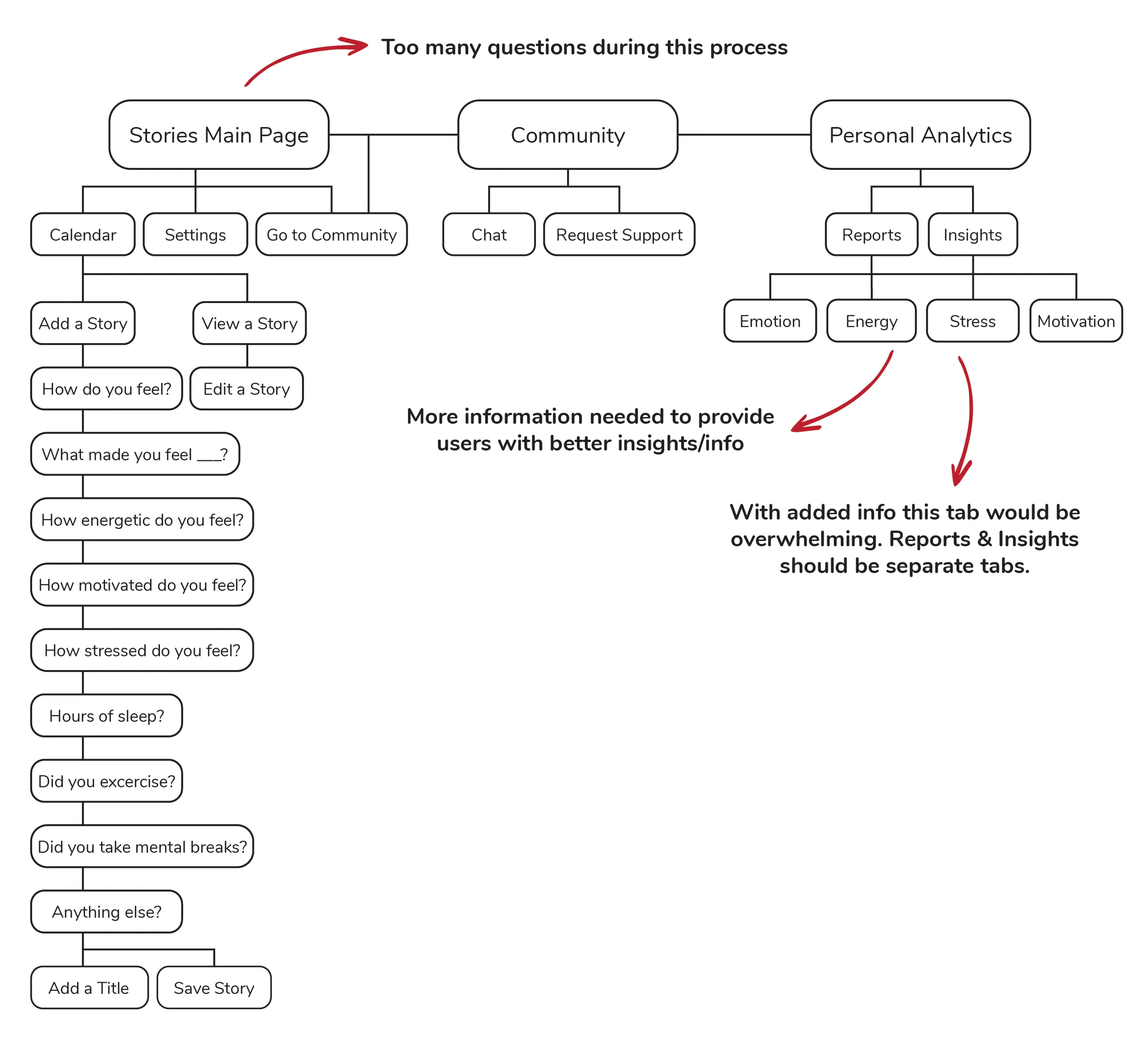
OLD INFORMATION ARCHITECTURE
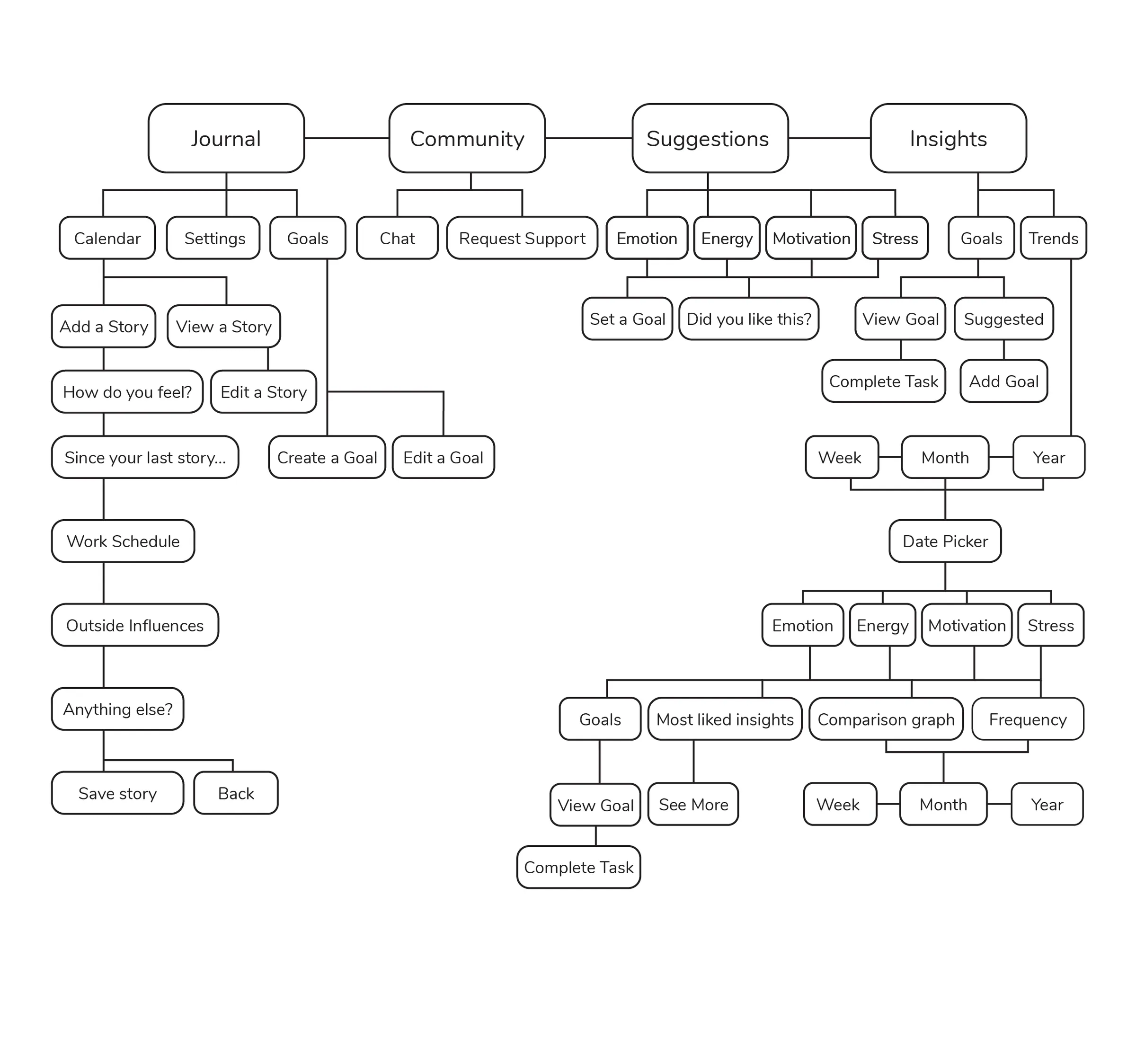
NEW INFORMATION ARCHITECTURE
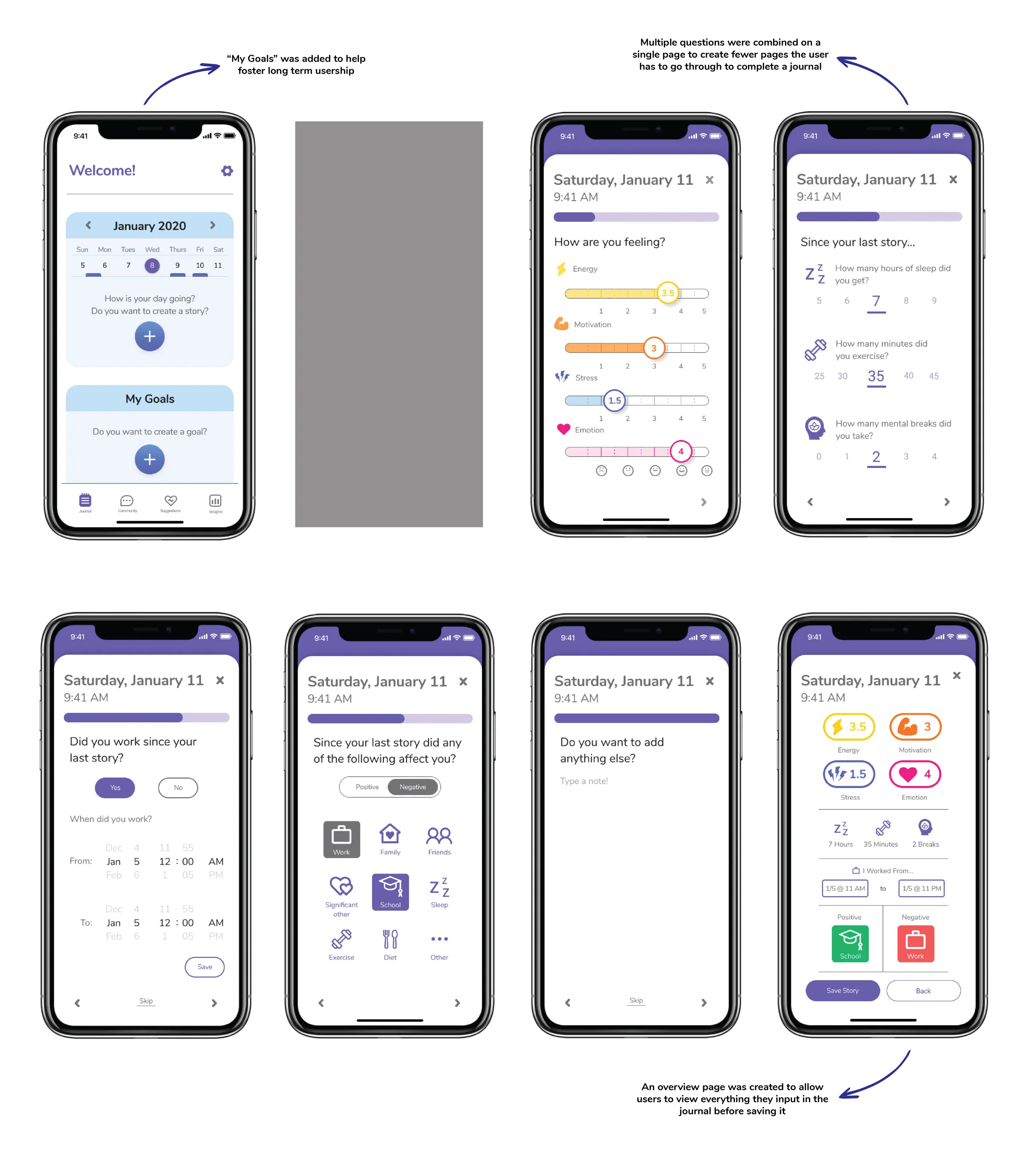
JOURNAL OVERVIEW

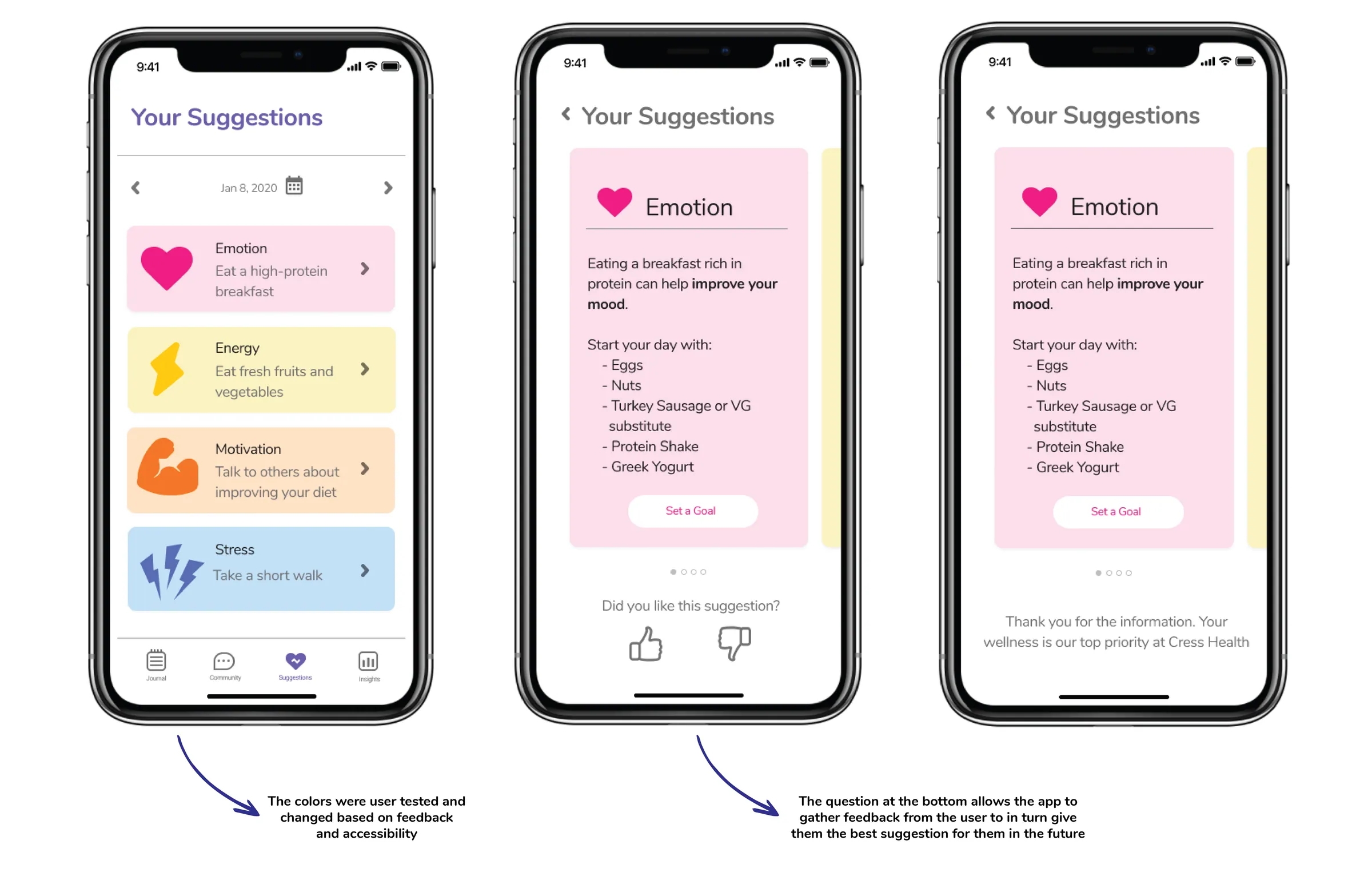
SUGGESTIONS OVERVIEW
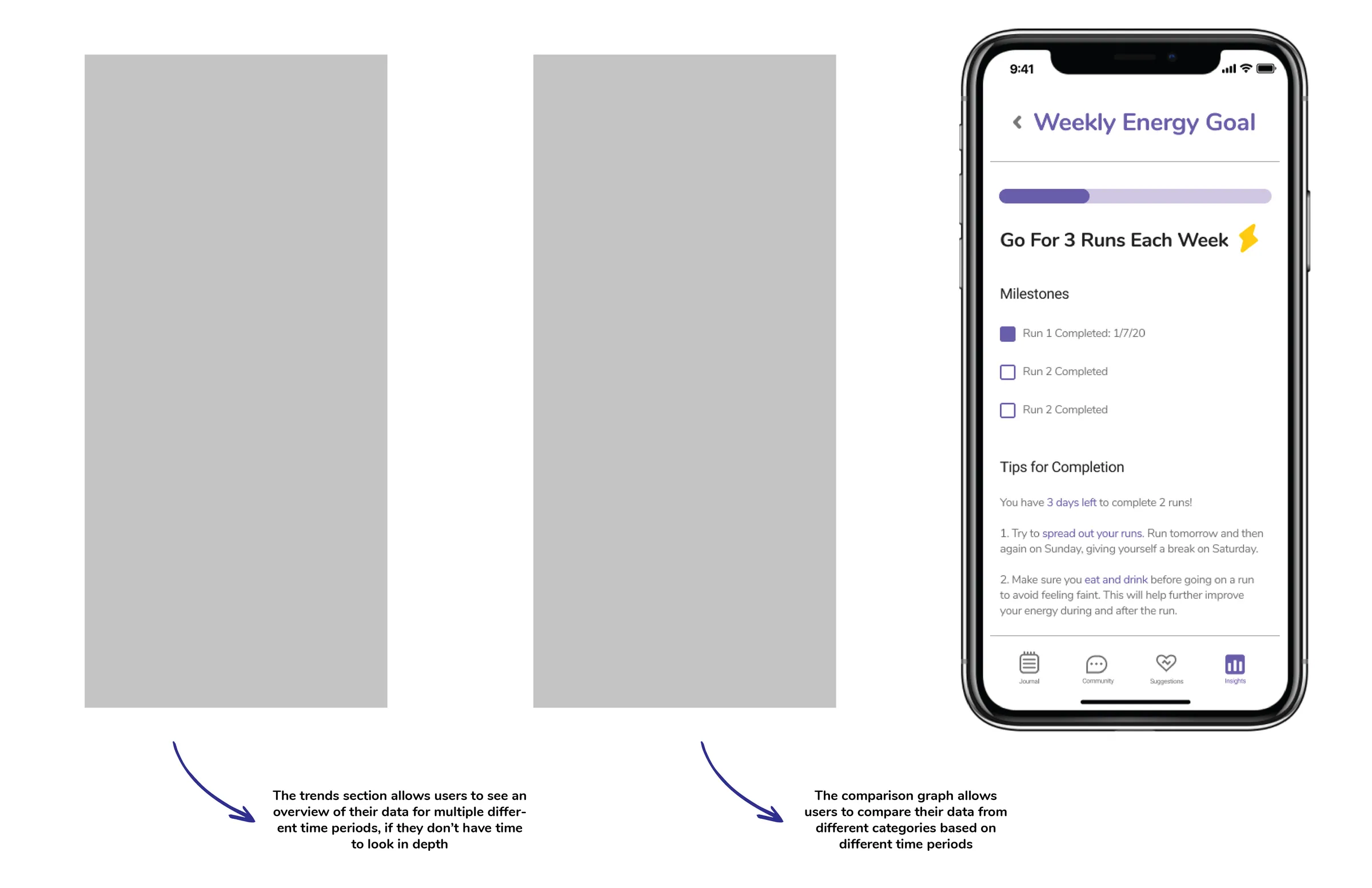
INSIGHTS OVERVIEW


Conclusion
MY ROLES & RESPONSIBILITIES

- Presented weekly iterations and updates to the UX team
- Benchmarked similar applications
- Created user testing and interview scripts
- Coordinated and facilitated user interviews and testing sessions
- Refined application information architecture
- Created wireframes
- Created working prototypes in Figma
- Created design library components



Team: Xiaoben Wang (Chief Design Officer), Isa Li (Senior Director, Design), Abigail Brown (UX Design Intern), and me as UX Design Intern.
KEY TAKEAWAYS
Collaboration is Key
This was one of my first experiences collaborating and sharing the design of a product within a professional space. Through this I was able to learn the importance of collaboration and sharing the workload of the design and research of a product.
Check in with the Users
Every time throughout the process that we talked to users, we gained more insights about what functionality they were looking for. We even realized we overlooked some key features that would be important for certain user groups and were able to correct them.
Roll with the Punches
This was my first time working completely remotely and not knowing any of the people I am working with face to face. This goes hand in hand with collaboration, but it became apparent to me that digital communication can be more challenging, however even more important when working in a remote setting
Outcome
Redesigned the app’s personal analytics and journal sections and contributed to its design library, shaped by a user survey and rounds of usability testing.